
If you search “best gaming monitor under $200,” you’ll find dozens of listicles with the same five monitors copied and pasted from each other. Most of them were written by someone who’s never actually touched the hardware.
I’ve been through a few budget monitors myself – some decent, some genuinely bad – so here’s what I actually think you should know before spending your money.
The short summary
- Best overall: LG 24GS65F-B — 180Hz, IPS, solid motion handling, ~$160
- Best 27″ pick: Asus ROG Strix XG27ACS — 1440p, 180Hz, worth watching for price drops to $200
- Best for competitive: MSI MAG 255XF — 1080p, 300Hz, 0.5ms, great if your GPU can push frames
- Budget pick: AOC 24G2E — 165Hz IPS, best value under $150
If you just want a fast answer: grab the LG 24GS65F-B if it’s in stock around $160, or wait for the Asus XG27ACS to dip to $200 if you want 1440p.
What actually matters at this price
Before we get into specific monitors, let’s kill some myths.
Refresh rate: yes, it matters — but 144Hz is enough for most people
The jump from 60Hz to 144Hz is massive and immediately noticeable. The jump from 144Hz to 240Hz? Much less so, unless you’re playing competitive shooters at high skill levels.
144Hz is the single biggest upgrade over 60Hz – the smoothness difference is immediately noticeable, and many budget monitors now include it. If the monitor you’re looking at is still 60Hz in 2026, skip it entirely.
Under $200, you can now realistically get 165–180Hz. Anything above that in this price range is usually a 1080p TN panel with tradeoffs elsewhere.
What screen size should you get?
At this price range, you’re realistically choosing between 24″ and 27″. Here’s the honest breakdown.
24″ at 1080p is the sweet spot for most gaming setups. The pixel density is high enough that everything looks sharp, and you can take in the whole screen without moving your head. If your desk is 60cm deep or less, 24″ is almost certainly the right call.
27″ at 1080p is where things get tricky. At 27″, 1080p starts to look noticeably soft – icons, text, and UI elements lose some sharpness because the pixels are stretched across a larger area. You can still game on it fine, but sitting close, you’ll notice it. I wouldn’t recommend 27″ + 1080p unless your monitor is at least 80–90cm away from your eyes.
27″ at 1440p is the real reason to go 27″. The jump in pixel density makes everything look crisp again, and the extra screen real estate is genuinely useful. The Asus XG27ACS in our list is exactly this – 27″ + 1440p – and it’s the only 27″ pick here for that reason.
The simple rule: 24″ → 1080p works perfectly. 27″ → get 1440p or sit further back. Don’t pay extra for a larger screen that makes your image look worse.
Panel type: IPS vs VA vs TN
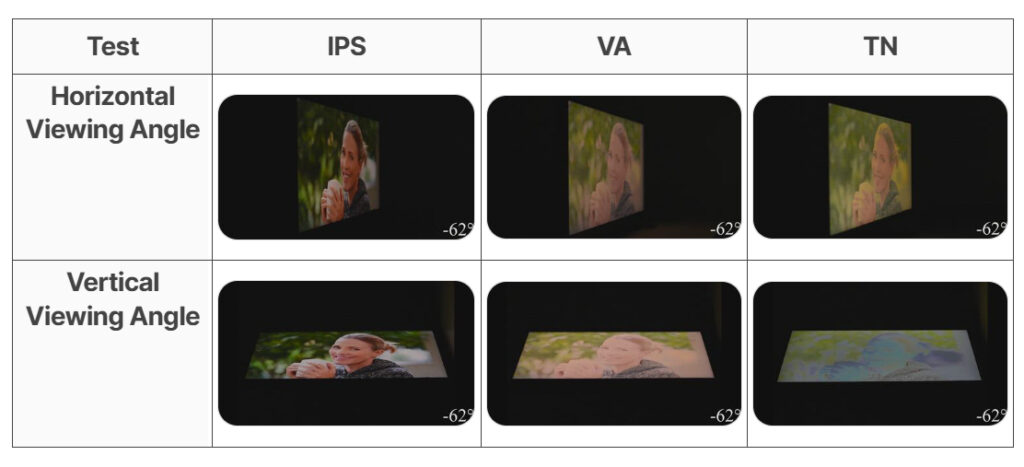
IPS — best colors, good viewing angles, decent response times. Best all-rounder for gaming + everyday use. This is what I’d pick for most people.
VA — better contrast and deeper blacks than IPS. Good for dark games and movies. The tradeoff is “dark smearing” – fast dark objects leave trails. If you prefer VA contrast (3000:1) over IPS colors, you get deeper blacks for immersive gaming, and the 1500R curve adds immersion, though some dark smearing is acceptable at this price.
TN — fastest response times, worst colors, and viewing angles. Only makes sense for hardcore competitive players who care about nothing except reaction time. I wouldn’t recommend TN for most buyers.
Response time: ignore the marketing number
Every monitor claims “1ms response time.” It’s essentially meaningless marketing. Most gaming monitors achieve fast response times – avoid panels with 8ms+ response times, but don’t trust marketing “1ms” claims. Check reviews for real-world performance.
Resolution: 1080p or 1440p?
Under $200, stick with 1080p for better panels and higher refresh rates. At $200–300, 1440p becomes viable. Also, match to your GPU – 1440p 144Hz needs at least an RTX 3060 or equivalent.
If your GPU is a GTX 1660, RX 580, or anything older – get 1080p and spend the budget elsewhere. You won’t be pushing 1440p consistently anyway.
What you can safely ignore
HDR on budget monitors — budget “HDR” monitors (HDR400) aren’t bright enough for real HDR. It’s a checkbox feature. Don’t pay extra for it.
RGB lighting — monitor RGB adds $20–50 to the price for a feature you’ll rarely see since it’s behind the monitor. Skip it and get better core specs instead.
Built-in speakers — almost universally bad. Not a reason to choose or avoid a monitor.
Fancy stand with height adjustment — height adjustment is nice but not essential. Tilt-only stands work fine – use a book or monitor arm later if needed. Don’t pay $50 extra for stand features.
Top picks under $200 in 2026
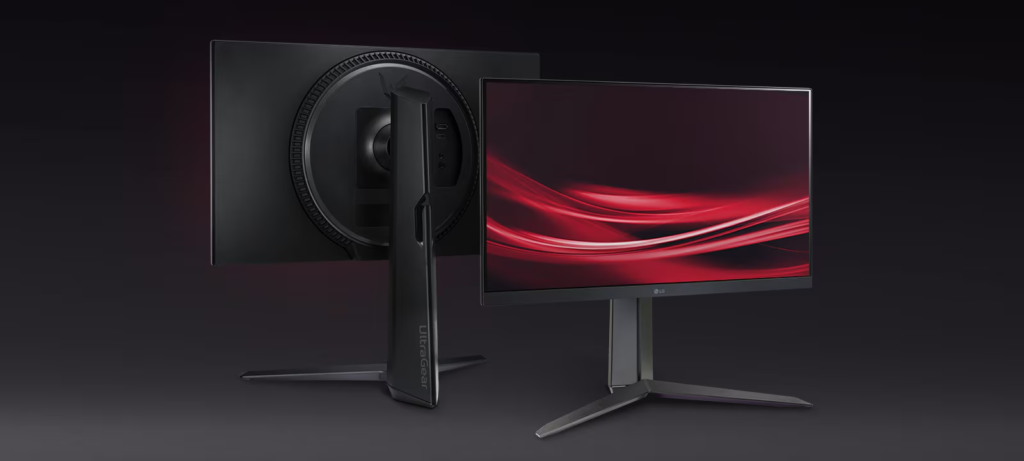
1. LG 24GS65F-B — Best overall (~$160)
Specs: 24″, 1080p, IPS, 180Hz, 1ms GtG, FreeSync Premium
The LG 24GS65F-B offers good value thanks to its 180Hz refresh rate and sharp motion handling. It’s an IPS panel, so colors are accurate and viewing angles are wide — unlike the TN alternatives you’ll find at similar prices.
At 24″, 1080p looks sharp. The 180Hz feels noticeably smoother than 144Hz in fast-paced games. FreeSync Premium works with both AMD and Nvidia GPUs (G-Sync compatible).
Who it’s for: Anyone who wants a reliable everyday gaming monitor without overthinking it.
Where to buy: Amazon — check current price
Downside: The stand only tilts. Get a cheap monitor arm if ergonomics matter to you.
2. Asus ROG Strix XG27ACS — Best 1440p pick (~$200, watch for sales)
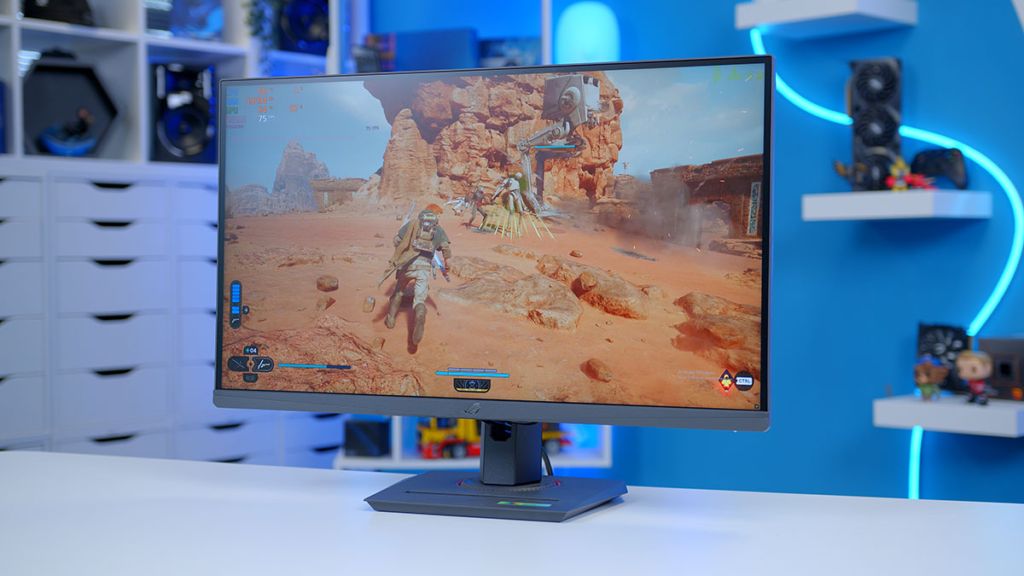
Specs: 27″, 1440p, IPS, 180Hz, variable overdrive, FreeSync Premium
The Asus ROG Strix XG27ACS uses a higher-quality panel with better response time tuning, delivering 50% better motion performance at 180Hz. It’s well calibrated, feature-rich, and highly versatile for both gaming and desktop productivity.
The catch: sometimes it’s $270, which is far too much, but over the last six months, it has regularly hit $200, and even $180 at its best. This might be one to set a price notification for.
At $200, it’s genuinely excellent. At $270, skip it and get the LG.
Who it’s for: Anyone with an RTX 3060 or better who wants the 1440p upgrade without breaking the bank.
Where to buy: Amazon – track the price
3. MSI MAG 255XF — Best for competitive gaming (~$150–180)
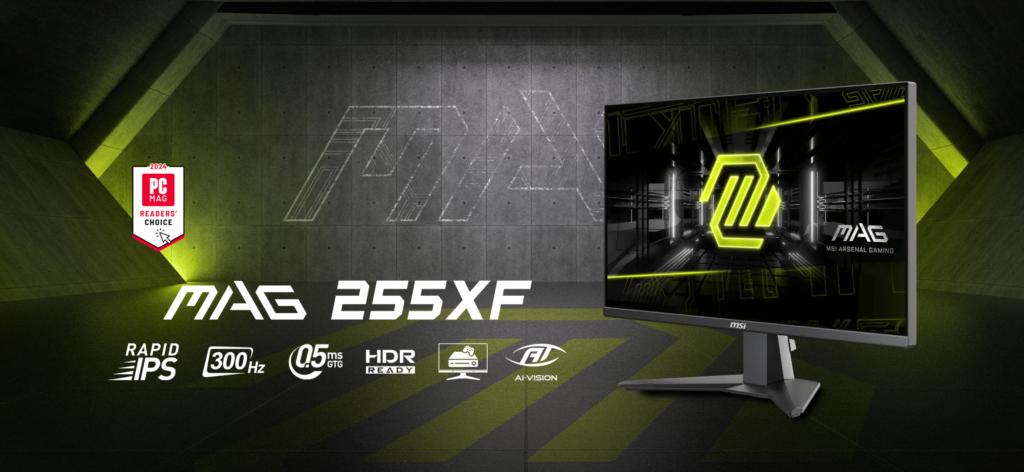
Specs: 24.5″, 1080p, IPS, 300Hz, 0.5ms, Adaptive Sync
The MSI MAG 255XF is equipped with a 1920×1080 300Hz refresh rate, 0.5ms response time panel, and Adaptive Sync Technology – built for competitive gaming.
300Hz is overkill for most games and most players. But if you play Valorant, CS2, or similar titles at high FPS and take your rank seriously, the buttery smoothness at 300Hz is real.
Note: You need a GPU that can consistently push 200+ FPS in your game to get meaningful benefit from this. If your GPU tops out at 120 FPS, get the LG instead.
Where to buy: Amazon
4. AOC 24G2E — Best budget pick under $150
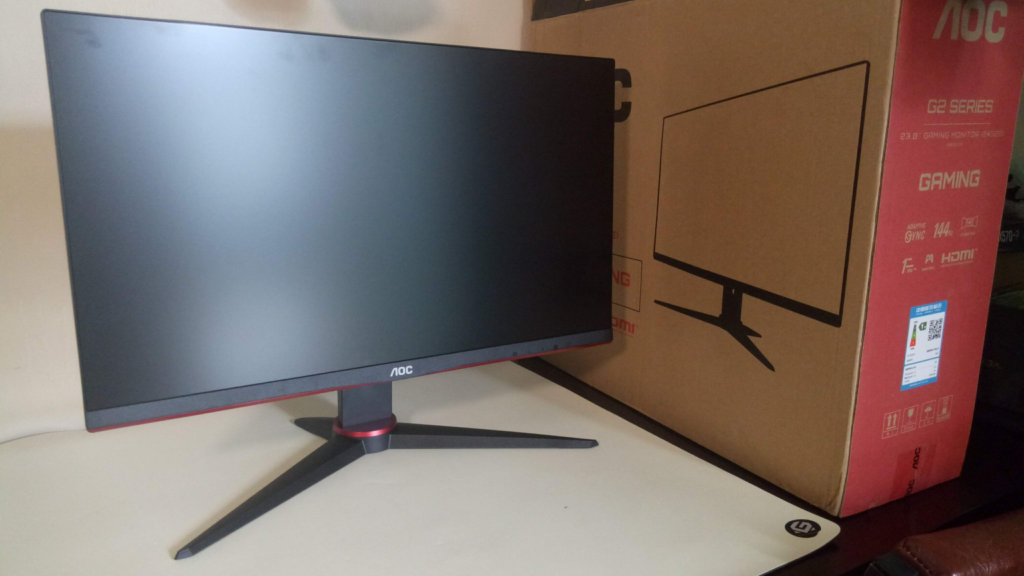
Specs: 24″, 1080p, IPS, 165Hz, 1ms GtG, FreeSync
The AOC 24G2E is the budget king – IPS colors at this price are rare, and 165Hz exceeds what most budget GPUs can push. The frameless design looks modern, and the stand is tilt-only, but the value is unbeatable.
If $200 is tight and you want to save $40–50 elsewhere (new game, better mouse, etc.), the AOC 24G2E is where I’d send you. The gaming performance is genuinely solid.
Who it’s for: First gaming monitor buyers or anyone on a tight budget.
Where to buy: Amazon
AliExpress option: is it worth it?
There are monitors on AliExpress from brands like KTC that look impressive on paper. The KTC 27M1 offers exceptional value thanks to its vibrant colors, wide viewing angles, quick response time, smooth VRR performance, and ergonomic stand – all for around $200.
My take: if you’re in the US or EU and can easily return a product that doesn’t match its specs, AliExpress monitors are a gamble I wouldn’t personally take. If you’re in Eastern Europe, where shipping Amazon returns is expensive and complicated anyway, some of these brands are worth considering – just check if there are real reviews from your region first.
For the record: KTC monitors on AliExpress
Quick comparison table
| Monitor | Size | Resolution | Hz | Panel | Price |
|---|---|---|---|---|---|
| LG 24GS65F-B | 24″ | 1080p | 180 | IPS | ~$160 |
| Asus XG27ACS | 27″ | 1440p | 180 | IPS | ~$200 (watch sales) |
| MSI MAG 255XF | 24.5″ | 1080p | 300 | IPS | ~$150 |
| AOC 24G2E | 24″ | 1080p | 165 | IPS | ~$130 |
FAQ
Is 1080p still okay for gaming in 2026?
Yes — especially at 24″. The pixel density is fine for gaming, and you’ll get higher refresh rates for the same budget. 1440p only really shines at 27″ and above.
Does refresh rate matter more than resolution?
For gaming: yes, for most people. 1080p at 180Hz feels better than 1440p at 60Hz in every fast-paced game. Only get 1440p if you have a GPU that can handle it.
Should I get IPS or VA?
IPS for most people — better colors and viewing angles, no dark smearing. VA only if you specifically love deep blacks and mostly play slow-paced games or watch movies.
What GPU do I need for 1440p gaming?
At minimum an RTX 3060 or RX 6600 to run most games at 1440p comfortably. Older cards should stick with 1080p.
Is FreeSync worth it?
It’s free to implement on almost all budget monitors, so yes — it eliminates screen tearing when your FPS fluctuates. Works with both AMD and Nvidia GPUs on modern cards.
Bottom line
At $200 in 2026, you don’t need to compromise much. The LG 24GS65F-B is the safe pick that most people will be happy with. If you want 1440p, watch the Asus XG27ACS for price drops. If you play competitive shooters seriously, the MSI MAG 255XF‘s 300Hz is genuinely useful.
The one thing I’d avoid: buying a name you’ve never heard of just because the spec sheet looks good. Stick with LG, Asus, MSI, AOC, or Acer in this price range – the quality control is real.
Affiliate disclosure: Some links in this article are affiliate links. If you buy through them, I may earn a small commission at no extra cost to you. I only recommend products I’d actually consider buying myself.